Remember that time your old game console froze and turned the screen into a neon-soaked nightmare of purple pixels? While your younger self probably panicked, your inner artist was actually witnessing a masterpiece in the making. This glitch art tutorial is your cheat code for turning those frustrating software meltdowns into intentional synthwave vibes. You don’t need to be a coding wizard to break the internet in style.
We’re ditching the quest for high-def perfection to embrace the beautiful chaos of a corrupted save file. Think of this as a digital garage sale where we’re hunting for VHS tracking errors and crunchy CRT static. You’ll learn how to smash your photos into glorious, multicolored fragments that would make a 1980s cyborg weep. It’s time to stop fighting the system and start making it work for your aesthetic.
You do not need to be a master hacker or a computer science wizard to start frying your digital photos into neon masterpieces. Browser-based glitch generators are the ultimate shortcut for anyone wanting to capture that classic VHS aesthetic without the headache of complex software. These tools let you simply drag and drop your files into a playground of sliders and toggles that do all the heavy lifting for you. You can instantly wash your images in hot pink and cyan hues while watching the transformation happen right before your eyes. It is the easiest way to turn a boring vacation photo into a distorted piece of cyberpunk art that looks like it was recovered from a haunted arcade cabinet.
Finding that sweet spot between a subtle retro blur and total data destruction is as simple as moving a few intensity bars. You can dial up the chromatic aberration to give your edges that trippy color bleed effect seen in old school anime and synthwave music videos. Adding scan lines or a bit of digital noise creates that cozy feeling of watching a worn-out rental tape on a Saturday morning. Most of these online tools offer real-time previews, so you can keep sliding until you reach peak aesthetic perfection. Once your image looks sufficiently broken, you just hit the save button and prepare to bless your social media feed with some serious vaporwave energy.
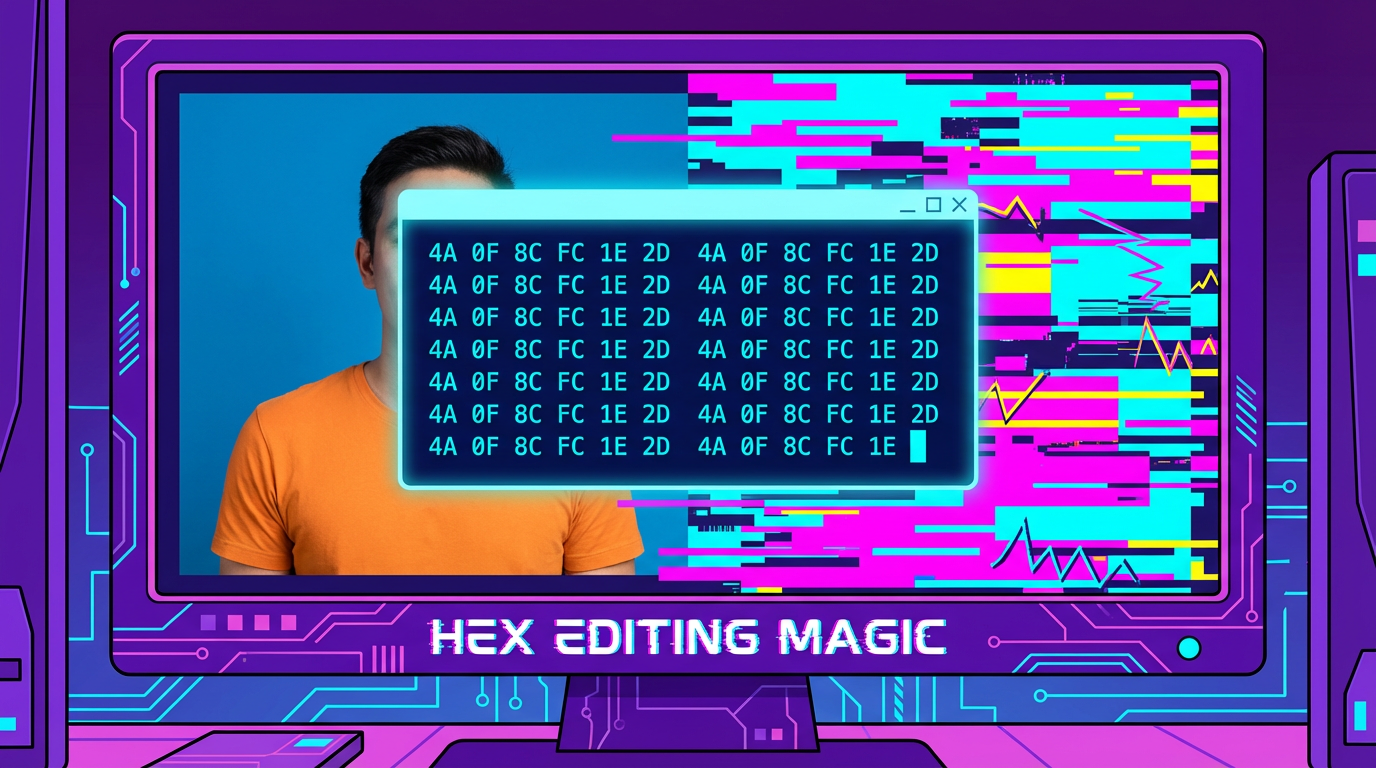
To start your journey into the digital underworld, you need to grab a free hex editor like HxD and open up a standard JPG file. Instead of seeing your photo, you will be greeted by a massive wall of scary looking numbers and letters that represent the raw DNA of your image. This is where the magic happens because you are basically playing God with the pixels. Just make sure you scroll past the very top header section because breaking those first few lines will make the file unreadable. Once you are in the middle of the code, you can start highlighting random chunks of data and deleting them like you are cleaning out a messy closet.
The real fun begins when you start copying blocks of code from one spot and pasting them into another random location. This creates those iconic jagged pixel shifts and neon color bleeds that make your art look like it was recovered from a haunted VHS tape. If you get lucky, you might even see your image melt into a psychedelic puddle of glitchy goodness that would make any vaporwave fan proud. Do not be afraid to experiment with different amounts of data because every single click can result in a totally unique masterpiece. Just remember to save frequently and keep a backup of the original file so you do not accidentally destroy your favorite meme forever.
To get that classic fried aesthetic, you need to start by breaking your image into its core RGB channels. Open your channels panel in Photoshop and nudge the red or blue layers just a few pixels to the left or right. This simple trick creates a chromatic aberration effect that makes your photo look like it is vibrating off a haunted CRT monitor. You can even use the rectangular marquee tool to grab random chunks of your image and slide them sideways for that authentic data corruption vibe. It is the perfect way to make a boring selfie look like a lost frame from a cursed arcade game.
Once your colors are sufficiently scrambled, it is time to layer on some digital grime using noise filters and blending modes. Stacking a layer of solid black and white grain on top of your work gives it that gritty, low-quality texture found in deep fried memes. Set these noise layers to Overlay or Soft Light to let the neon colors underneath pop through the static. You can also experiment with the Wave filter to add horizontal wobbles that mimic a dying VHS tape. This process turns your crisp digital photo into a beautiful disaster that feels right at home in a vaporwave aesthetic playlist.
The final touch for any legendary glitch involves playing with blending modes to simulate a total hardware meltdown. Try duplicating your distorted layers and setting them to Screen or Color Dodge to create glowing highlights that burn with 80s intensity. You can even draw thin horizontal lines across the screen to act as scan lines, giving your art that retro television flavor. Do not worry about being precise because the goal is to embrace the chaos of a system failure. By the time you are finished, your image will look like it survived a direct hit from a magnet and a decade in a dusty basement.
Now that you have successfully ruined your photos in the best way possible, it is time to unleash your glitchy creations on the world. You have learned how to turn a boring selfie into a neon masterpiece filled with beautiful data corruption and pixelated chaos. Whether you are aiming for that classic VHS tracking error or a full blown system crash, your images now have that perfect retro futuristic vibe. These distorted visuals are exactly what your social media feed needs to stand out from the crowd of polished and filtered perfection. You are now officially a digital wizard capable of breaking the rules of traditional photography.
Remember that in the world of synthwave and cyber aesthetics, there are no mistakes, only happy little digital accidents. Every misplaced scan line and weird color shift adds character to your work, making it feel like a lost relic from a haunted arcade cabinet. If a filter looks too messy or the chromatic aberration is blindingly bright, you are probably doing something right. Embracing the chaos of technology is what makes this vaporwave art form so fun and relatable for the internet age. Keep experimenting with different layers of noise and static until your screen look like it belongs in a cyberpunk dystopia.
Take these skills and start frying every image in your gallery until your hard drive looks like a beautiful mess. You can now create custom profile pictures, meme templates, or even album covers for your favorite lo-fi beats. The vaporwave community is always looking for fresh visions of the digital afterlife, and your new glitch skills are your ticket into that neon glow-up sunset. Do not be afraid to push the sliders to the limit and see what breaks next. The best part of glitch art is that the more you break the system, the cooler the results usually turn out to be.